

How to Download Apps for PC

app laptop

Android apps were built for phones, but plenty of them breathe easier on a desktop. If you’ve ever squinted at tiny timelines, fumbled with fat-finger taps, or watched your battery melt like ice cream on a hot sidewalk, you already get it. That’s why more people look up apps for PC when they want the same Android tools with a keyboard and a real screen. The catch is simple: you can’t install most Android apps directly on Windows or macOS, so you use an Android emulator, and LD Player is a popular pick for that job. Here’s everything you must know about those Android apps and how to download them for PC.

Messaging and Community Tools Get a Productivity Boost

Typing long replies on a phone can feel like writing a novel with oven mitts. On PC, messaging apps become work-friendly. You can respond faster, search chats without rage-scrolling, and copy links or snippets without the dreaded mis-tap. Community apps also benefit from desktop habits.

Editing and Creative Apps Stop Feeling Cramped
creative apps

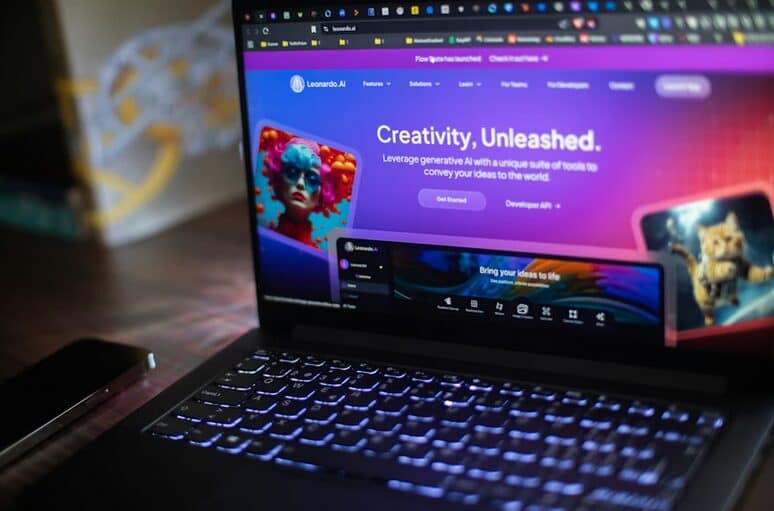
Video editors and photo tools often feel like trying to paint a mural through a keyhole on a phone. On a PC, your canvas opens up, and your hands stop doing gymnastics. Dragging clips on a timeline with a mouse is calmer, and keyboard shortcuts turn slow chores into quick moves. Even simple tasks like trimming, masking, or syncing audio become less “oops, wrong tap” and more “done, next.” The same goes for design apps used for quick mockups, thumbnails, or social posts. A bigger screen lets you actually see spacing errors before they embarrass you. File management is also less of a circus on a desktop.

Mobile Games and Real-Time Apps Run Cleaner on a Desktop

Some games are simply more playable with a keyboard and mouse. Inputs become precise, and you stop missing a skill because your finger landed one millimetre off. On a PC, performance can be steadier too, especially if your phone is older or heat-prone. It’s the difference between a sprint and running in wet socks. Real-time apps like streaming companions, chat overlays, or multi-account tools also feel less fragile on desktop. You can multitask without the app constantly getting shoved into the background. If you’ve ever had a match, a call, and a message all collide at once, you know the pain. Desktop breathing room helps.

Utility Apps Feel Sharper With Desktop Power
apps on big screen

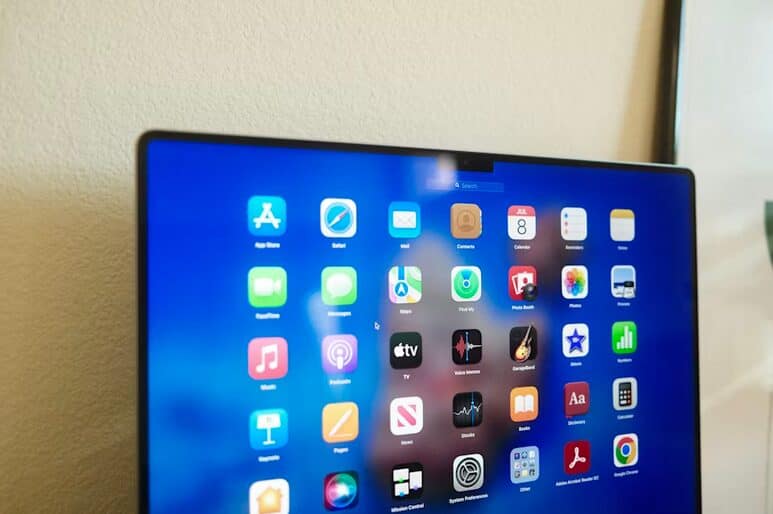
Think note-taking, reading, language tools, and file utilities. On a PC, you can type clean notes, paste screenshots, and organise pages without fighting a small screen. Reading apps also improve because you can scan faster and keep the context visible. It’s like switching from a peephole to a window.

How to Run Android Apps on PC With LD Player

First, install LD Player on your Windows PC or Mac, then open it like any other program. It creates a virtual Android device, so apps behave like they would on a phone. Next, sign in with a Google account inside the emulator so you can access the Play Store. Think of it as setting up a new Android phone, minus the glass slab.

After that, search the Play Store in LD Player and install the app you want. Launch it from the emulator’s home screen, then adjust controls if it’s …

How to Install MovieBox on PC

netflix

MovieBox is a popular app for streaming movies and TV shows, offering a wide selection of content for free. However, it’s not directly available for Windows PCs. But don’t worry—there’s a way around this. By using an Android emulator, such as BlueStacks, you can easily install and use moviebox for pc on your desktop or laptop. Let’s walk through the process.

What Is MovieBox?

movie streaming

MovieBox is a user-friendly app offering a variety of movies and TV shows in high quality. While it’s mainly available for mobile devices, you can use an Android emulator like BlueStacks to run the app on your PC. With BlueStacks, you can enjoy streaming on a larger screen, which is a plus when watching movies.

Why You Need BlueStacks to Install MovieBox on PC

MovieBox is an Android app, which means it’s not directly available for PC or Mac. To run MovieBox on your computer, you’ll need an Android emulator, and BlueStacks is one of the most popular options. BlueStacks creates a virtual Android environment on your PC, allowing you to download and run Android apps like MovieBox without a problem.

Steps to Install MovieBox on PC Using BlueStacks

installation

Here’s a simple guide to installing MovieBox on your PC:

Download and Configure BlueStacks

Head over to the official BlueStacks website and download the installer. After the download, open the file and follow the on-screen instructions to complete the installation. Once installed, open it and sign your Google account in. This is necessary to open your Google Play Store account within the emulator.

Search and Install MovieBox

After logging in, go to the Play Store in BlueStacks. Type “MovieBox” in the search bar and hit Enter. When the app shows up, click on it. Click the “Install” button on the MovieBox page in the Play Store. The app will start downloading and should be ready in just a few minutes. Once installed, the MovieBox icon will appear on the BlueStacks home screen. Click it to open the app and start enjoying movies and TV shows.

Using MovieBox on Your PC

laptop

Now that MovieBox is installed, it works just like on a mobile device. You can browse movies by genre, search for your favorite shows, and start streaming. With the larger PC screen, you can enjoy movies in better quality and comfort. BlueStacks even provides keyboard shortcuts for easier navigation.

Tips for a Better Experience

Need a better watching experience? Here’s how you do it. For smooth streaming, make sure your internet connection is fast enough to handle HD or 4K videos. And, if you face buffering issues, try lowering the video quality. You can also use keyboard shortcuts. BlueStacks offers useful shortcuts to make navigation easier while watching.

With BlueStacks, installing MovieBox on your PC is quick and easy. Just follow the steps above, and you’ll be streaming your favorite movies on a bigger screen in no time. Enjoy the benefits of free content and a better viewing experience.…

Why Compliance Matters: Building Trust Through Regulatory-Adherent Websites

website

In today’s digital age, a website is the primary touchpoint for many potential clients or patients, especially in professional services such as healthcare. While the visual appeal and functionality of a site are essential, one crucial element that is often overlooked is compliance. Whether you’re considering Dental Website Design or another industry-specific site, regulatory adherence ensures legal protection and helps build trust with your audience. In sectors like healthcare, maintaining a compliant website significantly enhances credibility and fosters long-term relationships. This article discusses the top five reasons why compliance matters and how it builds trust.

Ensures Legal Protection

One of the most important reasons to ensure your website is compliant with industry regulations is legal protection. By adhering to guidelines by regulatory bodies, you reduce the risk of penalties, fines, or even lawsuits. In healthcare, for instance, ensuring your site complies with standards like the General Dental Council (GDC) regulations helps safeguard your practice from potential legal issues. A regulatory-adherent website protects your business from costly legal challenges, enabling you to focus on providing quality services.

Boosts Client Confidence

clients

A compliant website signals potential clients that your business operates within legal and ethical boundaries. Whether it’s compliance with data protection laws like GDPR or adhering to advertising standards set by the ASA, clients feel more secure when they know that you’re following proper guidelines. This trust extends to how they perceive your services. In healthcare, for instance, knowing that your site follows GDC guidelines reassures patients that your practice upholds high standards, encouraging them to choose your services over competitors.

Improves Data Privacy and Security

With increasing concerns over data privacy, especially in the era of digital transactions and online appointments, ensuring that the website complies with privacy regulations is critical. Adhering to data protection laws demonstrates to your clients that their personal information is safe. A website that communicates how data is collected, stored, and used fosters trust and promotes transparency. Clients are more likely to engage with your services when they know their sensitive information is protected.

Enhances Your Professional Reputation

professional

A regulatory-adherent website enhances your professional reputation. Maintaining compliance builds credibility in sectors where trust is paramount, such as healthcare, finance, or legal services. A well-designed, compliant website that meets industry standards reflects your commitment to ethical practices. This perception can differentiate you from competitors who may neglect compliance and, in turn, foster loyalty among your clients. Your reputation is one of your most valuable assets, and ensuring compliance is key to protecting it.

Increases Website Visibility and Engagement

Compliance doesn’t just build trust with clients; it also impacts how search engines perceive your site. Google and other engines reward websites that follow ethical guidelines, including data privacy and transparency in content. A compliant website is more likely to rank higher in search results, improving your visibility and attracting more potential clients. Additionally, by building trust through transparency and legal adherence, visitors are more likely to stay engaged with your site and convert into clients.

Building trust through regulatory-adherent websites is crucial for businesses, especially those in highly regulated sectors like healthcare. Ensuring legal protection, boosting client confidence, improving data privacy, enhancing your professional reputation, and increasing website visibility are just a few of the benefits that come with compliance. In today’s competitive digital landscape, a compliant …

How to Install Lorex Home onto PC

monitor

With advancements in technology, protecting your home has become smarter and more convenient than ever before. And when it comes to integrating your Lorex Home Security System with smart home platforms, the possibilities are endless. Today, we’ll reveal the secret powers that lie within the Lorex Home app for PC. Once revealed, you can reap all the benefits of this app and the integrated smart home camera systems. However, this app isn’t meant to be for PC users, so installing the BlueStacks emulator and other Android emulators is a must if you want to run it on your PC.

Lorex App Compatibility With Smart Home Platforms

Lorex App Compatibility With Smart Home Platforms

The flexibility offered by Lorex App compatibility extends beyond just voice control. With integration capabilities across different platforms like Apple TV and Chromecast, you can easily view live feeds from multiple cameras on larger screens within your home. This is especially useful when you want to keep an eye on things while entertaining guests or simply relaxing in another room.

Furthermore, Lorex understands that not everyone uses the same smart platform. That’s why their app is designed to be compatible with multiple systems simultaneously. So whether you have an Apple HomeKit setup alongside Google Nest devices in different areas of your house – rest assured that everything will work seamlessly together through the intuitive Lorex App interface.

Voice Control and Automation

With Lorex Home Security Systems, you can take advantage of these advanced features to enhance your home security experience. By integrating your Lorex system with voice control platforms like Amazon Alexa or Google Assistant, you can easily control your security cameras using simple voice commands. Whether it’s checking live feeds, adjusting camera settings, or even receiving real-time alerts, all you need to do is speak up. With automation capabilities, you can create custom routines that will automatically activate specific actions based on certain triggers. For example, when you leave the house and lock the front door, the Lorex system could automatically turn on outdoor lights and start recording video footage.

Enhanced Security Features

The Lorex app provides enhanced security features that go beyond just monitoring your cameras. With motion detection technology, you’ll receive instant alerts on your smartphone whenever any movement is detected in the designated areas. This allows you to assess potential threats or suspicious activities quickly. In addition to motion detection, Lorex also offers advanced night vision capabilities. Thanks to infrared technology, you can see clear images even in low-light conditions or complete darkness. Whether it’s monitoring your backyard or checking on a sleeping child, Lorex ensures that nothing goes unnoticed.

Convenience and Ease of Use

The user-friendly interface of the Lorex app makes it incredibly easy to navigate and control your security system. Whether you’re checking live feeds from your cameras or adjusting settings, everything is just a few taps away. No complicated menus or confusing options here! Furthermore, the ability to access and control your Lorex Home security system from anywhere adds another level of convenience. Whether you’re at work, on vacation, or simply lounging in bed, you can monitor and manage your cameras through the mobile app or even by logging in through a web browser on your PC.

Setting Up Lorex Home on Your PC

install

In addition to these features, setting up Lorex Home on a PC …

Technology-Based Art Projects for Students

a laptop on the table

The idea of integrating technology into art classes no longer resides in a blurry concept in mind, but rather at the phase of implementation. Many schools and courses begin to notice the use of technology-based tools to have fun with their students. Indeed, the presence of technology has changed how the students learn, including the way how they portray their ideas and showcase their creativity. As a result, more and more institutions are in search of the best curriculum that can accommodate both art and technology. If you are a parent, instead of buying a plain sketchbook, buying 3d pens made for children will be a more wise choice.

This article discusses several art projects that students can do by using digital tools and sophisticated technology. Forget those manual drawings and focus more on how they replicate someone’s face using digital devices. For modern students, this option gives more fun.

3D Printing

The term 3D printing refers to the use of three-dimensional pens to create 3D objects and figures. Conventional pens that we know are limited to two-dimensional shapes only. This condition can limit students’ creativity. For that reason, we should all thank those inventors for bringing us an advanced form of regular pens. The use of 3D pens allows children and students to bring their ideas and concepts to reality. The device uses a plastic string that is melted when it reaches the front tip of the pen. Then, students only need to control the buttons to create the shapes.

Social Media Filters

We all love social media as it is how we express ourselves. Students are not an exception. Instead of limiting their freedom in using social media, directing them to a more beneficial activity is what teachers and parents can do. Fortunately, there are plenty of chances for it, and social media filters are one example. Try using all the filters to create beautiful and artistic images. There should be no limit on what types of image the students can use. This way, teachers can make sure the students are exposed to the educational kinds of art, and the students can have fun too.

Photoshop

Photoshop has been around for a while, but very few people can operate the application. The application is also part of photography, indicating that it is something exclusive. Luckily, things have changed during the past years, highlighting the fact that everybody can now use the application and edit any pictures they have. Teachers can use this application to sharpen students’ art skills.…